Distribution Rate Optimization
The distribution rate optimization feature helps identify the most suitable Czech electricity distribution rate based on historical consumption data. The analysis evaluates electricity consumption from the last 12 completed months. For example, an optimization created during April evaluates data up to March 31.
The optimization compares the current distribution rate with other available rates and recommends the most suitable option for the upcoming period. The calculation assumes that future electricity consumption will be similar to the consumption from the previous year.
The feature is available for the following user roles:
- Admin
- Owner
- Property manager
Optimization Overview
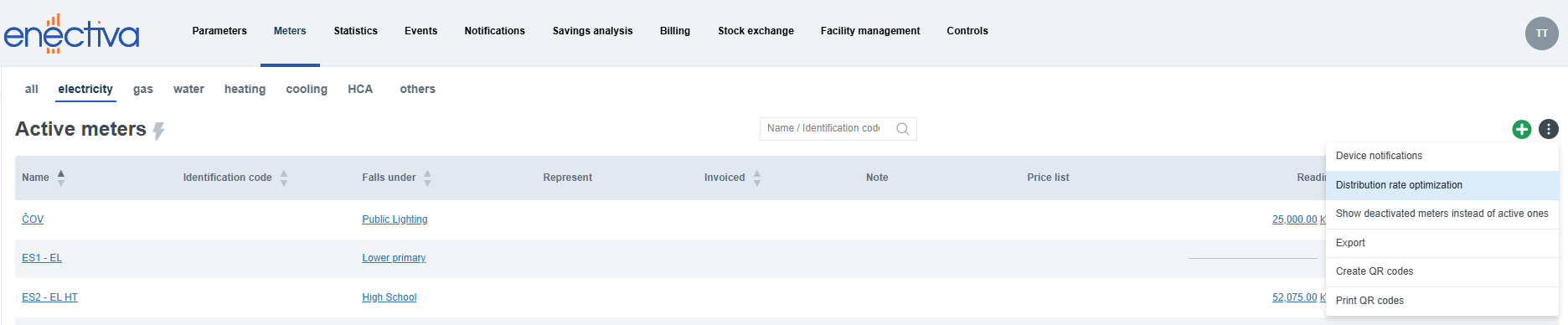
To access the distribution rate optimization feature, open the Meters tab and select either the all or electricity subtab. Open the ⋮ (explore more actions) menu and select Distribution rate optimization.
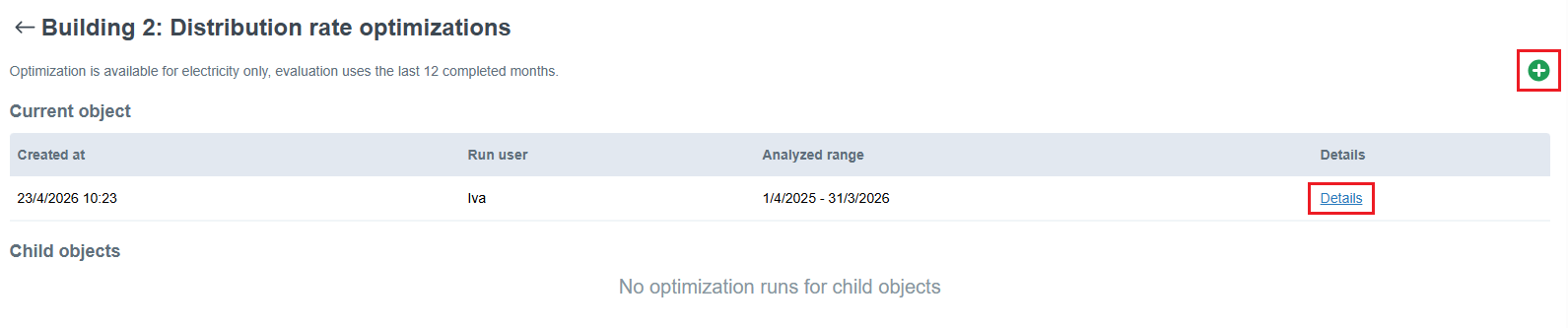
Here you can find an overview of previously created optimizations for the selected object, including the option to open the optimization detail by clicking Details in the table.
To create a new optimization, first select the required object in the left-side panel (object tree). The page content automatically updates based on the selected object. Click the + in the top-right corner to start a new optimization. After the optimization is created, the detail page opens automatically.
Distribution Rate Optimization Detail
The detail page contains basic information about the analysis together with optimization results grouped into the following categories.
Potential Savings
This section shows meters where a more suitable distribution rate was identified.
For each meter, the page displays:
- estimated savings based on the analyzed period
- current and suggested distribution rate
- reference cost calculated using the current distribution rate
- cost with the suggested distribution rate
If only partial data is available for the analyzed period, a warning tooltip indicates that the calculation is based on incomplete data.
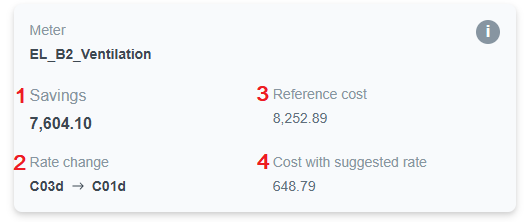
Meters are sorted from the highest estimated savings to the lowest.
Already Optimized
This section contains meters that are already using the most suitable distribution rate. Only a summary is displayed by default. Click Show list to expand the section and display all meters.
No Alternative Rate
This section contains meters without an available alternative distribution rate. For example, this may apply to public lighting meters.
No Consumption Data
These meters have configured electricity pricing parameters, but no consumption data is available for the analyzed period.
Missing Configuration
These meters have incomplete configuration required for the optimization. Click Show list to display detailed information about missing configuration values and affected subranges. After clicking a meter, the meter's Pricing & invoicing tab opens, where you can fill in the missing parameters.